
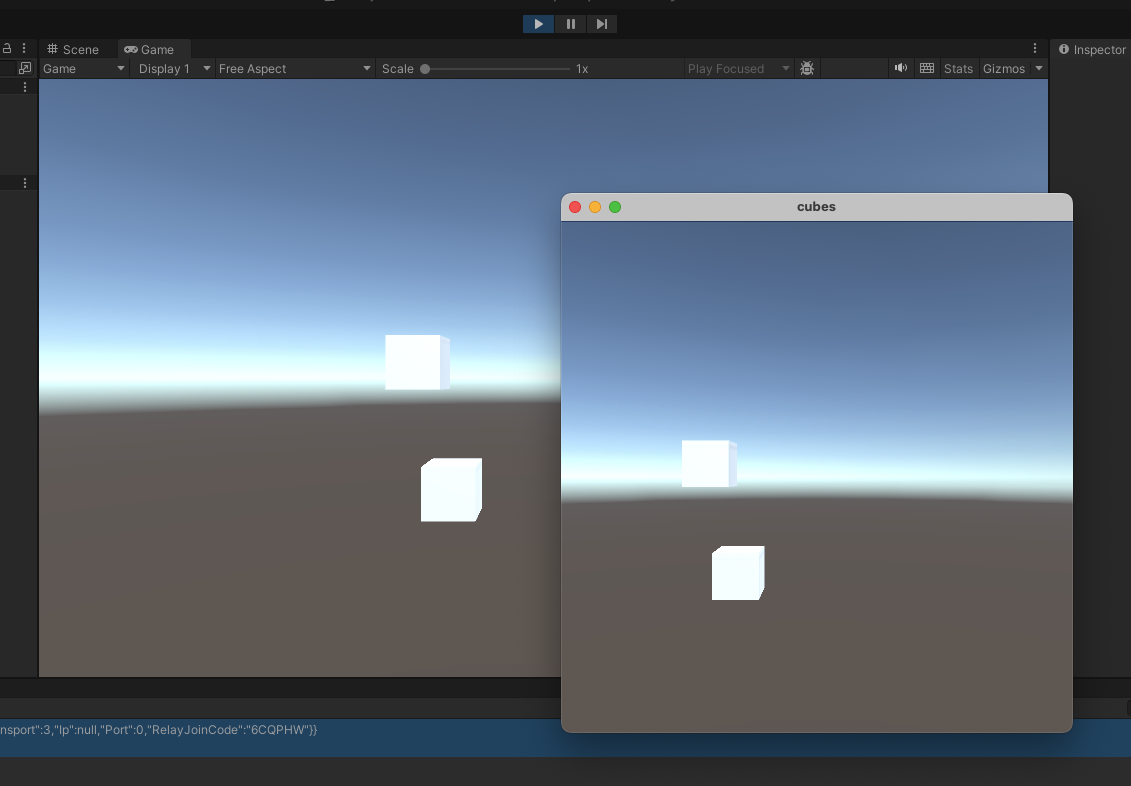
“Just add multiplayer” is one of the great lies of game development. Behind those three words sit sockets, serialization, interpolation, reconciliation and a replication system that takes longer to debug than the game itself. Our suite of SDKs exists so you can skip all of it. You install a plugin, you connect, and your game is networked.
One platform, every major engine
We provide first-party plugins for the engines indie teams actually use:
- Unity
- Unreal
- Godot
- Defold
- LÖVE
Every plugin speaks to the same server-side engine, so your choice of client tech is just that — a choice. The behaviour of your world lives in server-side Lua and doesn’t care what’s rendering it.
What the SDK actually does
The plugin handles the entire client side of the connection so your code doesn’t have to:
- Connects and authenticates against your project with the credentials from the control panel.
- Subscribes to nearby entities — the server decides what each client can see and streams just that.
- Spawns and despawns local objects as entities enter and leave the client’s view.
- Synchronises state every tick, updating transforms and data on the objects you’re rendering.
- Sends input back up to the server, where your scripts decide what it means.
The server owns the truth and runs your game’s logic. The SDK keeps a local mirror in sync and hands it to your renderer. You build the look and feel; we move the bytes.
Why server authority is worth it
Because the SDK syncs down from an authoritative server rather than trusting clients, you get a much stronger position on cheating and consistency for free. A client can request an action, but it can’t fabricate state it doesn’t own. The same property that makes the system easy to reason about also makes it harder to exploit.
You still write your game
The SDK doesn’t take the wheel — it removes the plumbing. You still build your characters, your controls, your UI, your art and your feel exactly as you would in a single-player project. The difference is that the entities you’re rendering happen to be living on a server and shared with everyone else in the world.
Plugged into the rest of the platform
Whatever the SDK syncs is an entity, so it benefits from everything else the engine offers — chunked worlds that scale across servers, dimensions for isolated matches and instances, and a control panel for starting, stopping and debugging your game. Install one plugin and the whole platform is available to your client.
Getting started
Pick the quickstart guide for your engine, install the plugin, and point it at a project. Within minutes you’ll have entities streaming into your scene. From there it’s your game — we’ll keep it in sync.